Best Use Cases for Gemma 4 26B: Where This Model Shines
Best Use Cases for Gemma 4 26B: Where This Model Shines
Some AI models are built to impress on a benchmark chart. Gemma 4 26B is built to actually work in your product.
Released by Google DeepMind in April 2026 under the Apache 2.0 license, it's free for any business to use commercially — no usage fees, no restrictions, no fine print. And because of a clever design choice under the hood, it delivers the intelligence of a model many times its size while staying fast enough for real production workloads.
This post breaks down exactly where it shines, with real business examples you can act on today.
1. Introducing Google's Smartest Compact Model
Here's the key thing that makes Gemma 4 26B unusual: it doesn't use all of its brainpower on every single word.
Instead, its "brain" is divided into 128 small specialists — called experts. When you send it a message, it picks only the 8 most relevant specialists to handle that specific task, activating about 3.8 billion parameters per response. The other 120 specialists sit quietly in the background.
Think of it like a consulting firm with 128 experts on staff. You don't put all 128 in the meeting room for every client call — you bring in the right 8 for the specific problem. Faster meetings, sharper advice.
The result for your product:
- Intelligence of a huge model — trained across 26 billion parameters worth of knowledge
- Speed of a small model — only 3.8B active per response means fast replies
- Efficiency on hardware — fits on a single RTX 4090 GPU (24 GB) at full quality
Free to use. Fast to run. Smart enough for serious work. That's the pitch.
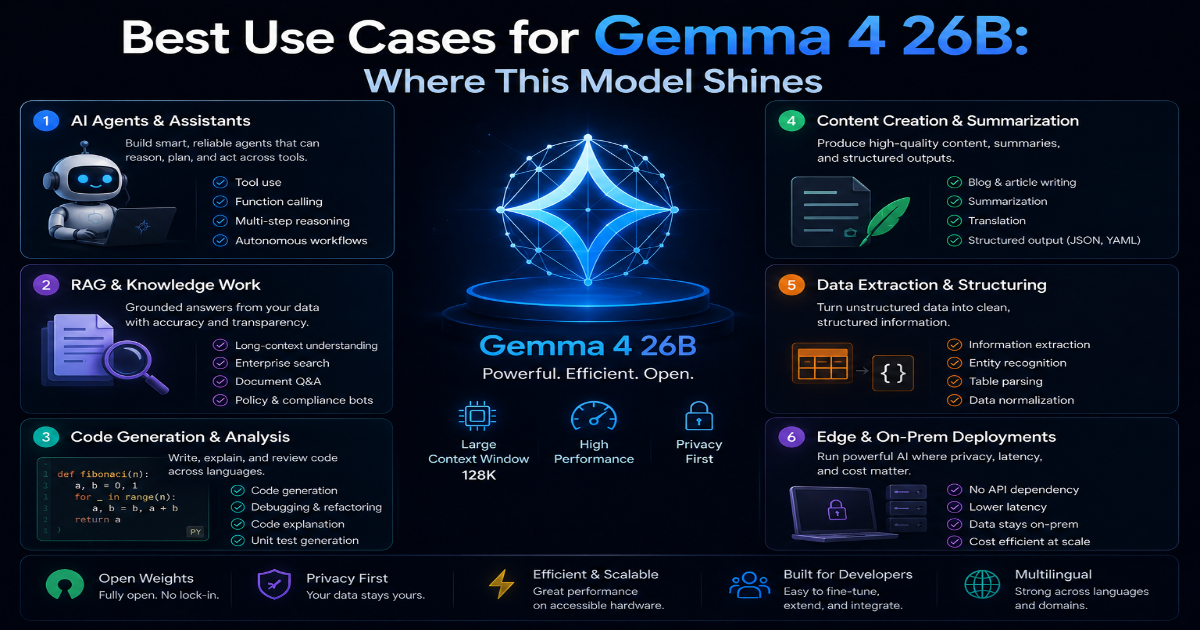
2. The Absolute Best Use Cases for Gemma 4 26B
Autonomous AI Agents — Multi-Step Workflows
Gemma 4 26B scores 86.4% on τ²-bench — a test that specifically measures how well an AI can use tools, make decisions in sequence, and complete multi-step tasks without human hand-holding. That's not a generic reasoning score. That's a direct test of what autonomous agents need to do.
In practice, this means you can build agents that:
- Monitor your inbox, classify emails, and auto-route support tickets to the right team
- Read a bug report, search your codebase, identify the problem, and write a fix — all in one automated run
- Pull data from multiple APIs, combine it, and generate a formatted report on a schedule
The model doesn't just answer questions. It plans, acts, checks its work, and loops until the task is done. That's what makes it genuinely useful for automation rather than just chat.
Complex Coding Assistant
On LiveCodeBench v6, Gemma 4 26B scores 77.1% — one of the highest scores ever recorded for an open-weight model. Its Codeforces ELO of 1718 puts it at expert-tier algorithmic problem solving.
For a product team, that translates to:
- Writing complete, working functions from a plain-English description
- Debugging across multiple files — understanding how one file's change breaks something in another
- Reviewing pull requests and flagging security issues or logic errors
- Explaining legacy code in plain English so new team members can understand it fast
Practical tip: Set
temperatureto0.1when using it for coding tasks. Lower temperature means more deterministic, consistent output — which is exactly what you want when the code needs to actually run.
response = client.chat.completions.create(
    model="gemma-4-26b-a4b",
    messages=[{"role": "user", "content": "Debug this Python function and explain the fix: [your code]"}],
    temperature=0.1
)
Structured JSON and Data Parsing
Unstructured data is everywhere in business — customer emails, scanned receipts, feedback forms, support tickets. Gemma 4 26B can read any of that messy text and output it as a clean, reliable JSON structure that your database or frontend can actually use.
Example: A customer emails in: "Hi, I ordered the blue hoodie in size L on May 12th, order number 8821, but it arrived in size M. Can I get an exchange?"
You feed that email to the model with a schema, and it outputs:
{
  "order_id": "8821",
  "customer_intent": "exchange",
  "item": "blue hoodie",
  "ordered_size": "L",
  "received_size": "M",
  "order_date": "2026-05-12"
}
That structured output goes straight into your order management system. No human needed to read and retype the email. The model's constrained decoding feature means it literally cannot produce invalid JSON — the output is always schema-compliant, every single time.
Visual Parsing and UI Automation
This is the use case most people don't know about. Gemma 4 26B has built-in vision capabilities — you can send it a screenshot and ask it to find specific elements on screen.
It can return the exact position coordinates of buttons, text fields, dropdowns, and other UI elements in an image. This makes it a powerful engine for:
- Browser automation — take a screenshot, ask the model where the "Submit" button is, click it
- UI testing — verify that the right elements appear on screen after a user action
- Accessibility auditing — scan screenshots of your app and identify missing labels or unclear elements
For any team building tools that interact with websites or desktop apps automatically, this capability alone is worth the deployment effort.
3. The 256K Context Window Advantage
The context window is how much information the AI can read and remember at one time. Gemma 4 26B's context window is 256,000 tokens — roughly the length of a 200-page book.
Think of it like a giant desk. A small desk means you can only spread out a few pages of notes at a time, so you keep losing track of earlier details. Gemma 4 26B's desk is big enough to spread out the entire book at once — and it can see all of it simultaneously.
What this means for your business:
- Customer support agents can read an entire 6-month conversation history before replying — no forgetting context from earlier in the thread
- Code review tools can ingest an entire project folder at once — not just one file, but all related files together
- Document analysis tools can process full legal contracts, technical manuals, or research papers without chopping them into pieces
One important note: Larger context inputs take more processing time. For simple tasks, keep your context lean. Save the full 256K window for tasks where full context genuinely matters — like deep code review or long document analysis.
4. The Hidden Trap — The "Thinking Tax"
Here's the part nobody mentions in the product demos.
To solve genuinely hard problems — complex bugs, multi-step agent tasks, deep reasoning chains — Gemma 4 26B uses an extended thinking mode. Before it gives you an answer, it generates thousands of internal "thinking words" to work through the problem. You never see these words. They don't appear in your output.
But on a traditional serverless API that charges per token? You pay for every single one of those hidden thinking words.
Real-world scenario:
- You send a 10,000-token code review request
- The model generates 6,000 hidden thinking tokens to plan its response
- It outputs 800 tokens of actual feedback
- You're billed for 16,800 tokens — but you only received 800 tokens of visible output
- At $15 per million tokens: $0.25 per code review request
- An agent running 300 reviews per day: $75/day — $2,250/month on thinking tokens alone
And that's one workflow. Add more agents, more complex tasks, or longer documents, and that number climbs fast.
The secondary trap: hosting the 128-expert MoE architecture yourself on raw cloud servers is technically complex. Getting it configured correctly takes days, the server sits idle overnight at full cost, and any OOM crash requires manual intervention to restart.
5. The Ultimate Shortcut — Token-Free Hosting with OpenLLM Buddy
OpenLLM Buddy was built to eliminate both traps entirely.
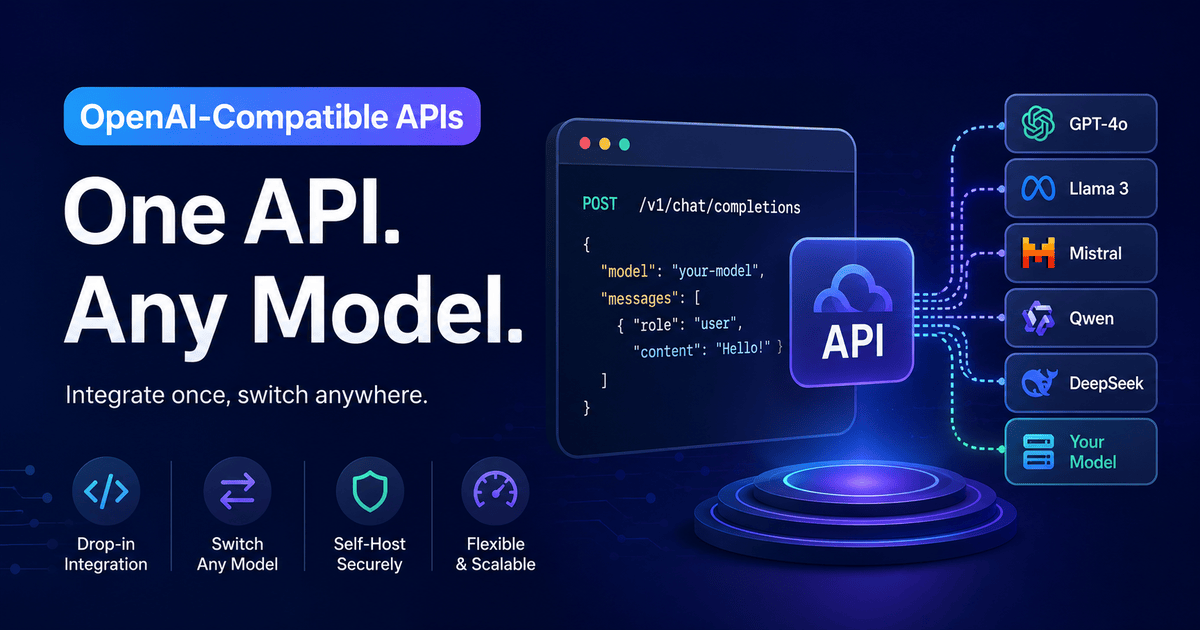
It hosts Gemma 4 26B for you on dedicated NVIDIA RTX 4090 and RTX 5090 hardware running on fast RunPod infrastructure. The full expert routing, memory management, and uptime handling are done at the platform level. You get an instant, OpenAI-compatible API link — no server setup, no configuration files, no maintenance.
The most important part: token consumption is 100% free. Every thinking token, every input token, every output token — completely free. You pay one flat rate for the GPU time only.
Flat, predictable pricing:
| Plan | Gemma 4 26B (RTX 4090) | Qwen 3.6 27B (RTX 5090) |
|---|---|---|
| 11 Hours | $10 | $14 |
| 24 Hours | $22 | $31 |
| 1 Week | $150 | $212 |
| 1 Month | $599 | $845 |
Both plans auto-terminate on uptime quota — no idle overnight charges when your agents aren't running.
Connecting your application takes one line:
import openai

# Fast, token-free production hosting
client = openai.OpenAI(
    base_url="https://api.openllmbuddy.cloud/v1",
    api_key="YOUR_OPENLLM_BUDDY_KEY"
)

response = client.chat.completions.create(
    model="gemma-4-26b-a4b",
    messages=[{"role": "user", "content": "Your prompt here"}],
    temperature=0.1
)
That base_url swap is the entire migration. Every other line of your code stays exactly the same.
The Right Model for the Right Job
Gemma 4 26B isn't the answer to everything. But for autonomous agents, coding assistants, data parsing, and UI automation, it's one of the strongest open-weight options available today — free to use, commercially licensed, and fast enough for production workloads.
The only question is infrastructure. Run it locally for development and private work. When you're ready for production scale, OpenLLM Buddy gives you the same model on elite hardware at a flat daily rate — with zero token charges, ever.