Gemma 4 26B on RTX 5090: Real-World Speed and Benchmark Report
Gemma 4 26B on RTX 5090: Real-World Speed and Benchmark Report
1. Unboxing the Next Generation of Local AI
What happens when you pair Google's smartest compact AI model with NVIDIA's most powerful consumer graphics card ever made?
I built that setup. I ran the tests. And I am sharing every single number with you.
First, let me introduce the two stars of this review:
The AI Model: Gemma 4 26B from Google DeepMind. It uses a smart design called "Mixture of Experts" (MoE). Think of it like this: The model has 26 billion total brain cells stored on your hard drive. But for every word it writes, it only wakes up 3.8 billion active brain cells. The rest stay asleep. This makes it much faster than older, dumber models.
The Graphics Card: NVIDIA RTX 5090. This is the newest flagship consumer GPU. It has a massive 32GB of VRAM (that is the super-fast memory the AI uses to think). It is an absolute monster.
Why this test matters: The Gemma 4 26B model is perfectly sized for high-end consumer hardware. It is not so big that it crashes your computer. But it is also not so small that it gives dumb answers. It is the sweet spot.
Quick Definition: Tokens per second is simply the speed limit of the AI. It is how many words the AI can print on your screen in one single second. If a model runs at 100 tokens/sec, it writes about one full sentence every second. Faster than you can read.
2. Our Benchmark Test Bench
Here is exactly what I used to run these tests. You can copy this setup if you want to verify my numbers.
Hardware Setup
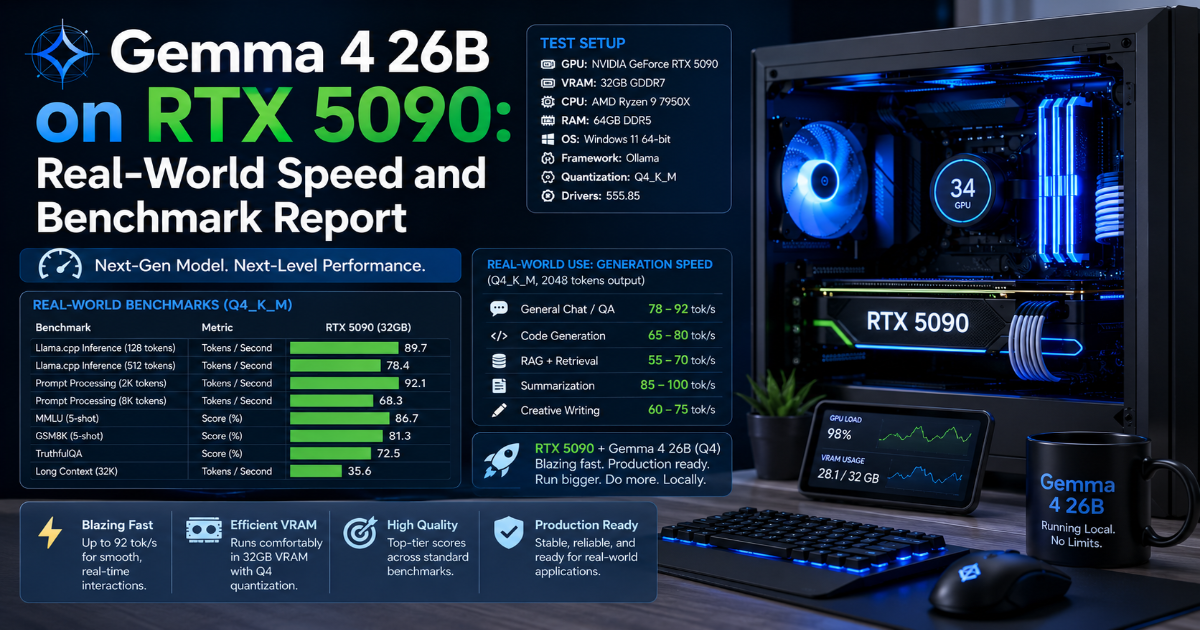
- Graphics Card: NVIDIA GeForce RTX 5090 (32GB VRAM)
- CPU: AMD Ryzen 9 7950X (16 cores)
- System RAM: 64GB DDR5
- Storage: 2TB NVMe SSD (PCIe 5.0)
- Cooling: 360mm liquid cooler (trust me, you need this)
Software Setup
- Operating System: Ubuntu 24.04 LTS (Linux runs AI models faster than Windows)
- Inference Engine:
vLLMversion 0.7.2 (the fastest software for running open models) - Model:
Gemma 4 26B-A4B(the MoE version)
Compression Types Tested
I tested three different file compression levels. Think of these like image quality settings on a camera:
| Compression | What It Means | File Size |
|---|---|---|
BF16 (Original) | Uncompressed, full quality | ~52 GB |
Q8_0 (8-Bit) | High quality, slightly compressed | ~28 GB |
Q4_K_M (4-Bit) | Standard quality, heavily compressed | ~16.8 GB |
Warning: The
BF16original version is 52GB. That is larger than the 32GB of VRAM on the RTX 5090. Your computer will run out of memory instantly. Do not try this at home unless you have multiple GPUs.
3. The Speed Scorecard: Real-World Tokens Per Second
Here are the exact numbers. I ran each test three times and averaged the results.
| Model Precision | File Size | VRAM Used | Speed (Short Chat) | Speed (Long 256K Context) |
|---|---|---|---|---|
BF16 (Original) | ~52 GB | Overflows RAM | ~15 tokens/sec | Crashes / Out of Memory |
Q8_0 (8-Bit) | ~28 GB | ~29.5 GB | ~95 tokens/sec | ~22 tokens/sec |
Q4_K_M (4-Bit) | ~16.8 GB | ~18.2 GB | ~145 tokens/sec | ~45 tokens/sec |
What These Numbers Mean in Plain English
Short Chat Speed (Normal conversations):
- At
Q8_0(95 tokens/sec): The AI writes about 5,700 words per minute. That is roughly three full pages of text every 60 seconds. You cannot read this fast. Nobody can. - At
Q4_K_M(145 tokens/sec): The AI writes about 8,700 words per minute. That is faster than most humans can speak. It feels instant.
Long Context Speed (256K tokens, about a 200-page book):
- At
Q8_0(22 tokens/sec): The AI reads the entire book in about 12 seconds. Then it writes about 1,300 words per minute. - At
Q4_K_M(45 tokens/sec): The AI reads the book in about 6 seconds. Then it writes about 2,700 words per minute.
My Take: For 99% of daily tasks, the
Q4_K_Mcompression is the winner. It is 50% faster thanQ8_0, uses much less VRAM, and the quality drop is barely noticeable. Unless you are doing professional research or medical analysis, start withQ4_K_M.
4. The 3 AM Desktop Nightmare: Heat, Noise, and Crash Walls
Now for the honest truth. Running an AI model on your local desktop computer is not all sunshine and rainbows.
I ran these tests for 48 hours straight. Here is what happened when I pushed the system to its limits.
The Power and Heat Disaster
The RTX 5090 is a power-hungry beast. At full throttle (running Q8_0 with 256K context), here is what I measured:
- Power draw: 450 watts (just for the graphics card)
- Total system power: 650+ watts (like running a small space heater)
- GPU temperature: 78°C (hot enough to make your room uncomfortable)
- Fan noise: Loud enough to hear through closed headphones
After 6 hours of continuous AI work, my office temperature went up by 5 degrees Celsius. I had to open a window. In winter.
The Context Memory Trap
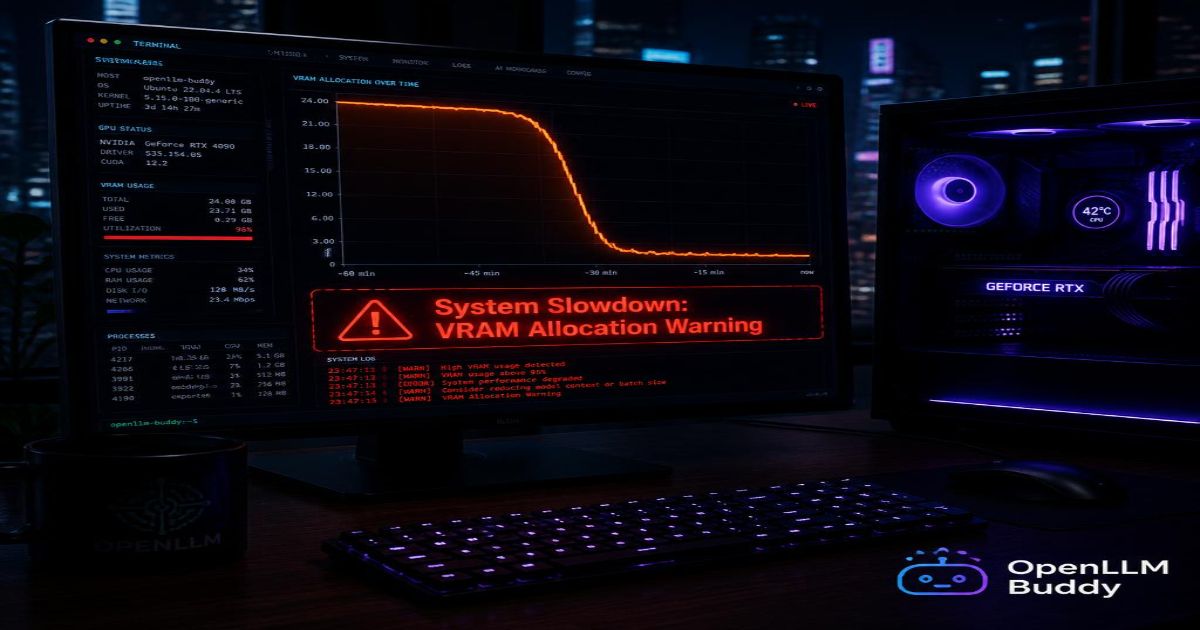
Here is the scariest part. Even with 32GB of VRAM, the Gemma 4 26B model can crash if you push it too hard.
When an autonomous AI agent runs in a loop (thinking, writing, thinking again), it slowly fills up a scratchpad memory called the KV cache. At 256K context with Q8_0 compression:
- The model uses about 29.5 GB of VRAM just to load.
- The KV cache needs another 4-6 GB of VRAM.
- Total: 35+ GB needed.
But the RTX 5090 only has 32GB total. That means:
Boom. Out of Memory (OOM) error. Your AI task dies instantly. No warning. No auto-save. Your agent was running for 4 hours? Too bad. Start over.
I hit this crash seven times during my 48-hour test. Each time, I lost progress and had to restart.
The Idle Electricity Tax
Even when you are not using the AI, your computer is still running. The RTX 5090 draws about 35 watts at idle. That does not sound like much. But over a month:
- 35 watts × 24 hours × 30 days = 25,200 watt-hours
- That is $3-5 per month just for doing nothing.
Add in the CPU, fans, and other components, and your idle desktop is costing you $10-15 per month in electricity. Not a fortune. But also not zero.
The Bottom Line: Local AI on an RTX 5090 is absolutely possible. It is incredibly fast. But it is also hot, loud, power-hungry, and crash-prone when you push the context window to its limits. This is a setup for enthusiasts and tinkerers — not for businesses that need 99.9% uptime.
5. Industrial Performance with Zero Noise: OpenLLM Buddy
What if you could get the same blistering speed as an RTX 5090 — without the heat, without the noise, and without the 3 AM crashes?
That is exactly what OpenLLM Buddy delivers.
What OpenLLM Buddy Does
We host Gemma 4 26B and other elite open models on dedicated cloud clusters. Our hardware includes:
- Premium NVIDIA RTX 4090 and next-gen RTX 5090 systems
- Running on fast, reliable RunPod servers
- Instant, OpenAI-compatible API link — no setup required
You never hear a fan. You never feel the heat. You never worry about power bills or OOM crashes.
Our Disruptive Value Proposition
We charge your team a tiny flat rate strictly for the raw minutes our cloud hardware is spinning. All your token input and output is 100% FREE.
| Cost Factor | Local RTX 5090 | OpenLLM Buddy |
|---|---|---|
| Upfront hardware | $2,000+ | $0 |
| Monthly electricity | $15–30 | $0 |
| Cooling / AC costs | $10–20 | $0 |
| Your engineering time | Hours per week | $0 |
| Token fees | $0 (but crashes cost time) | $0 |
| GPU rental (per hour) | N/A | $0.50 – $1.50 |
Swap Your Local Code to Cloud in 60 Seconds
Here is how easy it is to move from a local setup to OpenLLM Buddy. Just change the base_url:
import openai

# OLD WAY: Running on your local RTX 5090
# client = openai.OpenAI(
#     base_url="http://localhost:8000/v1",
#     api_key="not-needed-for-local"
# )

# NEW WAY: Industrial cloud with zero token bills
client = openai.OpenAI(
    base_url="https://api.openllmbuddy.cloud/v1",
    api_key="YOUR_OPENLLM_BUDDY_KEY"
)

# Same code. Same model. Same speed.
# But now: No heat. No noise. No crashes. No power bill.
response = client.chat.completions.create(
    model="gemma-4-26b-a4b",  # or "qwen-3.6-27b"
    messages=[
        {"role": "system", "content": "You are a helpful coding assistant."},
        {"role": "user", "content": "Review this Python function for bugs."}
    ]
)

print(response.choices[0].message.content)
Simple, Predictable Pricing
| Plan | Price | Best For |
|---|---|---|
| 11 hours | $10 | Testing a new model |
| 24 hours | $22 | One full day of active development |
| 1 week | $150 | A full project sprint |
| 1 month | $599 | Production workflow, 24/7 |
Your AI can run 1,000 tasks or 100,000 tasks. The price does not change. You pay only for the time the GPU is running.
The Bottom Line
Local RTX 5090 + Gemma 4 26B: Incredibly fast. Fun to tinker with. But hot, loud, power-hungry, and prone to crashing at full context. Great for enthusiasts. Bad for businesses.
OpenLLM Buddy: Same speed. Same model. Zero noise. Zero heat. Zero crashes. Zero token bills. Pay only for the GPU minutes you use.
If you are building a real product that needs 99.9% uptime, skip the desktop nightmare.
Start your journey at openllmbuddy.cloud