Qwen3.8 27B VRAM and GPU Requirements: What Fits at 256K Context
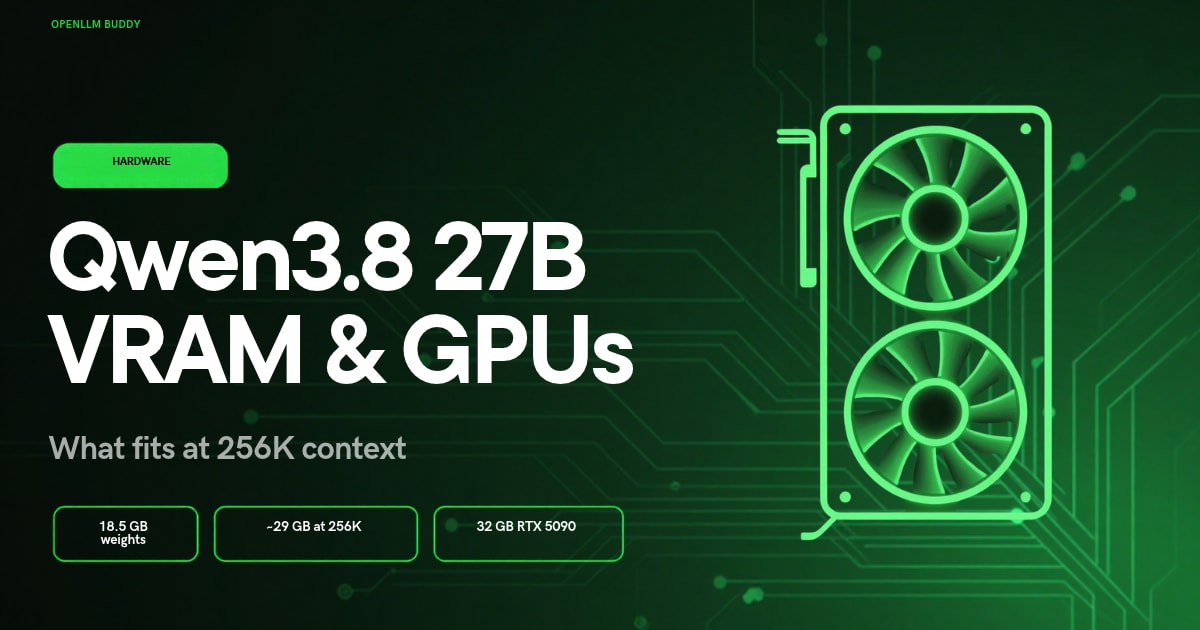
Qwen3.8-27B needs about 29 GB of GPU memory to run its 4-bit build with the full 256K context window: 18.5 GB of weights, 0.9 GB for the vision projector and about 9.5 GB of context cache, by our estimate. That fits one 32 GB RTX 5090. A 24 GB card runs it only with a reduced context window.
The rest of this page breaks that number down, shows which quantization fits which card, and compares running the model on your own machine with renting a pod that already has it loaded. For what the model is and what it is good at, start with the Qwen3.8 27B Uncensored guide.
The memory budget at 256K on a 32 GB card
GPU memory for a language model goes to three things: the weights, the context cache, and extras such as a vision projector. For Qwen3.8-27B Uncensored as OpenLLM Buddy serves it on one RTX 5090, our estimate is:
| Part | What it is | Memory |
|---|---|---|
| Weights | The 4-bit (Q4_K_M) file, with the multi-token-prediction head | 18.5 GB |
| Vision projector | The part that turns an image into something the model can read | 0.9 GB |
| Context cache | The KV cache for 262,144 tokens, stored at 8-bit | about 9.5 GB |
| Total | about 29 GB | |
| Headroom on a 32 GB card | Working buffers and the driver's own share | about 3 GB |
Two things are worth noticing.
The total sits close to the limit on purpose. The 4-bit file is the largest one that still leaves room for the whole 256K window on 32 GB. Larger quants, from 5-bit up, do not fit 256K on this card.
A third of the memory is not the model. About 9.5 GB goes to remembering the conversation. That is the part people miss when they read a file size and conclude that a 24 GB card is plenty.
Quant sizes against 24, 32, 80 and 96 GB cards
Quantization stores each weight with fewer bits. Fewer bits means a smaller file and slightly less precision. The file sizes published upstream for this model are about 17 to 18.5 GB at 4-bit, 20 to 21 GB at 5-bit, 22 to 24 GB at 6-bit and about 30 GB at 8-bit.
The table sets each size against four common amounts of GPU memory: 24 GB (RTX 4090), 32 GB (RTX 5090), 80 GB (H100) and 96 GB (RTX PRO 6000).
| Quant | File size | 24 GB card | 32 GB card | 80 GB card | 96 GB card |
|---|---|---|---|---|---|
| 4-bit | about 17–18.5 GB | Fits with reduced context | Fits with full 256K (about 29 GB in use) | Fits with full 256K | Fits with full 256K |
| 5-bit | about 20–21 GB | Fits with a very small context | Fits with reduced context | Fits with full 256K | Fits with full 256K |
| 6-bit | about 22–24 GB | Does not fit in practice | Fits with reduced context | Fits with full 256K | Fits with full 256K |
| 8-bit | about 30 GB | Does not fit | Does not fit in practice | Fits with full 256K | Fits with full 256K |
How to read it:
- "Fits with full 256K" on 32 GB is the configuration our RTX 5090 pods run.
- "Fits with reduced context" means the weights load, but less memory is left than the 9.5 GB or so that 256K needs. The exact window for those cells is not yet measured, so no token count is given.
- "Does not fit in practice" means the file is as large as the card, or so close that nothing useful is left for context once the vision projector and working buffers are counted.
- The 80 GB and 96 GB columns follow from adding the file size to the same cache estimate. They are not configurations we run: OpenLLM Buddy pods use the 4-bit build on every GPU option.
The 5-bit row on 32 GB deserves a closer look, because on paper it nearly fits. The 5-bit file is roughly 1.5 to 2.5 GB larger than the 4-bit one, which takes most of the 3 GB of headroom. A GPU never has its whole memory available to the model: the server needs working buffers for every batch, and the driver keeps a share for itself.
Why the context cache matters as much as the weights
When a model reads a token, each layer computes keys and values for it and keeps them. That store is the KV cache. It is what lets the model generate token 200,001 without re-reading the 200,000 before it.
The price is memory, and it scales with two things: how many tokens the window holds, and how many layers keep a cache entry for each of them.
Qwen3.8-27B is a dense model with 64 layers. Every layer takes part in every token, so the cache grows quickly as the window grows. At 256K tokens and 8-bit precision it comes to about 9.5 GB on our pods. That adds about half as much again on top of the 18.5 GB of weights.
A useful comparison is Gemma4-26B-A4B Uncensored, which runs on the same RTX 5090 with the same 256K window. Its model file is 16.8 GB, close to Qwen's 18.5 GB. Its context cache is about 3 GB, because only 5 of its 30 layers keep the full context. Two models with nearly the same file size end up with very different totals, and the whole difference is the cache. The Gemma 4 26B VRAM guide covers that side.
Three practical consequences follow.
- The cache is reserved for the window you configure, not the tokens you have used. If you start the server with a 256K window, the memory for 256K is set aside whether your prompt is ten tokens or two hundred thousand.
- Cache precision is a setting. Our pods store the cache at 8-bit. Storing it at the usual 16-bit default would need roughly twice the memory, which would not fit beside the weights on 32 GB.
- Shrinking the window is the cheapest way to save memory. Halving the context roughly halves the cache and costs no model quality. Dropping to a smaller quant saves less memory and does cost quality.
If you are deciding how much window you really need, why context length matters shows what fits in 256K.
Why a 24 GB card falls short
The arithmetic for an RTX 4090 is short. Take 24 GB, subtract 18.5 GB of weights and 0.9 GB for the vision projector, and about 4.6 GB is left. The full window needs about 9.5 GB of cache, so the card has under half of that before any working buffers are counted.
So a 24 GB card can run Qwen3.8-27B, with these trade-offs:
- A much shorter context window. Expect well under half of 256K. The exact figure on a 24 GB card is not yet measured.
- Vision on or off. Leaving out the vision projector returns 0.9 GB to the cache, and you lose image input.
- No room to move up a quant. The 5-bit file leaves almost nothing for context on 24 GB, and the 6-bit file does not fit in practice.
Two workarounds exist, and neither is measured here. llama.cpp can keep some layers in system RAM, which is far slower than keeping everything on the card, and it can split a model across two GPUs. If your prompts are short, a 24 GB card with a small window is a reasonable way to try the model. For long documents or a coding agent that fills its window, it is the wrong card.
Qwen3.8 27B on an RTX 5090
The RTX 5090 is the smallest card that runs this build with nothing cut: 4-bit weights, vision on, tool calls on and the full 256K window.
On an OpenLLM Buddy pod it generates 79 tokens per second on one RTX 5090, single stream. The author of this build reports over 90 tokens per second with the multi-token-prediction head on the same card. Those are two different setups, and ours is the figure from a production pod.
The multi-token-prediction head is part of why a dense 27B model reaches that speed. It is a small extra head from the model's maker that drafts the next few tokens so the main model can accept several in one step. It is included in the 18.5 GB weights figure above.
Generation slows as the window fills, because each new token attends to everything before it. Why token speed matters explains what the numbers feel like in use.
The three GPUs offered on OpenLLM Buddy
Self Deploy offers Qwen3.8-27B Uncensored on three single-GPU pods. All three run the same 4-bit build with vision, tool calls and the full 256K window.
| GPU | Memory | Fit at 256K | Measured speed on our pods |
|---|---|---|---|
| RTX 5090 | 32 GB | About 29 GB in use, about 3 GB of headroom | 79 tokens per second, single stream |
| H100 | 80 GB | Full window with a wide margin | Not yet measured |
| RTX PRO 6000 | 96 GB | Full window with a wide margin | Not yet measured |
Speed on the H100 and the RTX PRO 6000 is not yet measured, so do not assume either is faster or slower. Extra memory does not speed up a single stream by itself: what it buys is margin. Prices follow GPU rental rates, so check the live figure for each option before choosing.
What running it yourself involves
If you own a 32 GB card, running the model locally is realistic. The work looks like this.
- Download the files. The 4-bit model file is about 17 to 18.5 GB, plus a separate vision projector of about 0.9 GB if you want image input.
- Install a current GPU driver and a build of llama.cpp compiled with GPU support. Our pods serve this model with llama.cpp.
- Start the server with the right flags. Window size, cache precision, GPU offload, the vision projector and the chat template for tool calls all have to be set. Miss the cache precision and the 256K window will not fit.
- Put an API in front of it. llama.cpp's server speaks the OpenAI format. Exposing it safely beyond your own machine, with a key and encryption, is your job.
A starting command for a 32 GB card looks like this. Flag names change between llama.cpp releases, so confirm each one against your version's help output.
llama-server \
  --model YOUR_MODEL_FILE.gguf \
  --mmproj YOUR_VISION_PROJECTOR.gguf \
  --ctx-size 262144 \
  --n-gpu-layers 99 \
  --flash-attn on \
  --cache-type-k q8_0 \
  --cache-type-v q8_0 \
  --jinja \
  --host 127.0.0.1 --port 8080
Two notes on it. The 8-bit cache settings are what bring the cache down to about 9.5 GB, and llama.cpp needs flash attention switched on for a quantized cache. The option that enables the multi-token-prediction head depends on your llama.cpp version, so check its server documentation.
If a local setup that used to be quick turns sluggish, why your local LLM setup suddenly became slow walks through the checks.
Running it yourself versus renting a ready pod
| Your own machine | OpenLLM Buddy pod | |
|---|---|---|
| GPU | A 32 GB card for the full window; 24 GB with a reduced one | A dedicated RTX 5090, RTX PRO 6000 or H100 |
| Files | You download about 17 to 18.5 GB plus the projector | Already loaded |
| Setup | Driver, llama.cpp build, serving flags | None: base URL and API key appear in your console |
| Context window | Whatever your card leaves room for | Full 256K |
| API | llama.cpp's server, secured by you | OpenAI-compatible, a URL ending in /v1 and a key |
| Cost shape | Hardware and power, paid up front | Time packs of 11 hours, 24 hours, 1 week or 1 month |
| Where prompts live | On your machine | On your pod, which nobody else shares |
Owning the card makes sense if you already have a 32 GB GPU and use the model most days. Renting makes sense if you do not own one, or want the full window without tuning flags. A pod bills for time, not per token, and stops when the pack's time ends.
Once the pod is up, the Qwen3.8 27B Uncensored API guide has request samples, and the OpenCode tutorial turns it into a coding agent. To see how it sits beside larger models that need several GPUs, see the best uncensored open AI models you can deploy.
FAQ
How much VRAM does Qwen3.8 27B need?
About 29 GB for the 4-bit build with the full 256K context: 18.5 GB of weights, 0.9 GB for the vision projector and about 9.5 GB of context cache, by our estimate. With a shorter context window it needs less, because the cache shrinks with the window.
Can Qwen3.8 27B run on an RTX 4090 with 24 GB?
Yes, with a reduced context window. After the 4-bit weights and the vision projector, about 4.6 GB is left for the cache, which is under half of what the full 256K window needs. The exact context a 24 GB card reaches is not yet measured.
Can an RTX 5090 run Qwen3.8 27B at full context?
Yes. One 32 GB RTX 5090 holds the 4-bit build, vision and the full 256K window in about 29 GB. On an OpenLLM Buddy pod that setup generates 79 tokens per second, single stream.
Which quantization of Qwen3.8 27B should I use?
On a 32 GB card, use 4-bit: it is the largest file that still fits the full 256K window. Files from 5-bit up are larger and do not fit 256K on 32 GB, so they only make sense on an 80 GB or 96 GB card or with a shorter window.
Does a bigger GPU make Qwen3.8 27B faster?
Not necessarily. More memory gives more margin, not more speed for a single stream. Our measured figure is 79 tokens per second on an RTX 5090, and speed on the H100 and RTX PRO 6000 is not yet measured.