Wan 2.2 VRAM Requirements: 14B and 5B Variants Compared
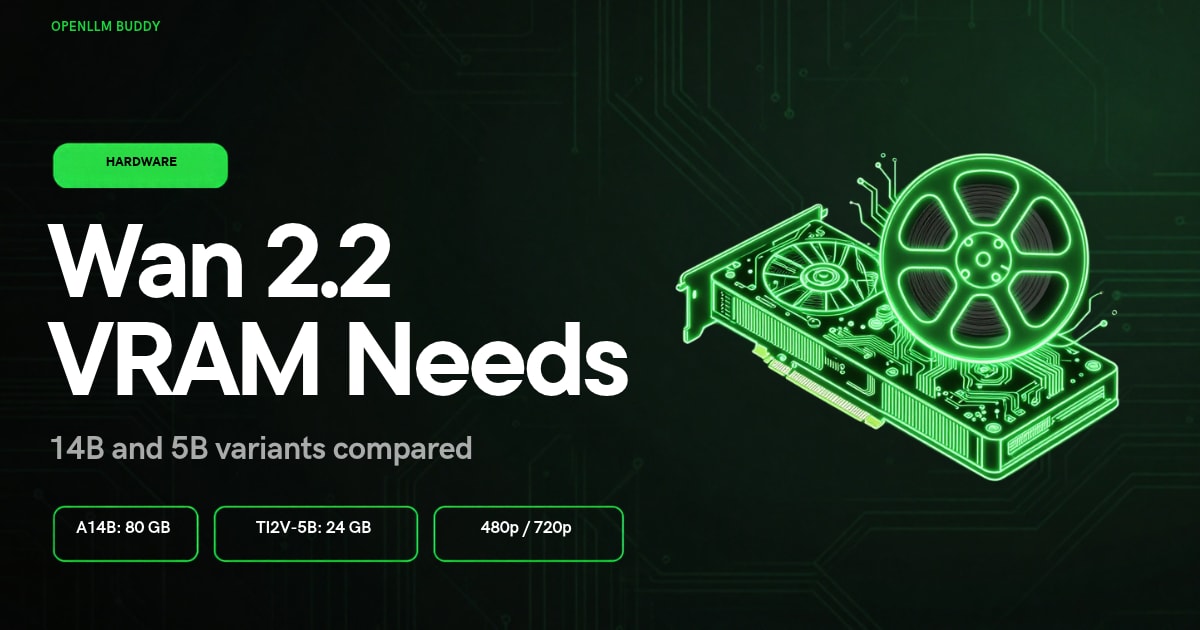
Wan 2.2 VRAM requirements depend on the variant. The maker's reference code for the 14B text-to-video and image-to-video models (T2V-A14B and I2V-A14B) asks for at least 80 GB on a single GPU. The 5B model, TI2V-5B, needs at least 24 GB and makes a 5-second 720p clip in under 9 minutes on one consumer GPU.
Those are the maker's figures for the official weights. Smaller quantized files made by the community lower them, and this page explains what that trade involves without quoting sizes nobody has verified here.
Wan 2.2 VRAM by variant
| Variant | What it does | Size | Output | GPU memory, per the maker |
|---|---|---|---|---|
| T2V-A14B | Text to video | Two 14B experts, 27B in total, 14B active per step | 480p and 720p, 5-second clips | At least 80 GB on a single GPU (reference code) |
| I2V-A14B | Image to video | Two 14B experts, 27B in total, 14B active per step | 480p and 720p, 5-second clips | At least 80 GB on a single GPU (reference code) |
| TI2V-5B | Text and image to video in one model | 5B | 720p at 24 fps (1280×704) | At least 24 GB |
| S2V-14B | Audio-driven video | 14B | Video driven by the audio you supply | No figure in the specs used here |
| Animate-14B | Character animation | 14B | Character animation | No figure in the specs used here |
Three things to read out of that table:
- The two figures are far apart. There is no middle variant. You are either in the 24 GB class or the 80 GB class with the official weights.
- The 80 GB figure belongs to the reference code. It describes what Alibaba's own code asks for on one GPU, not a physical limit of the model. That is why community setups below it exist.
- For the two specialised 14B variants, no memory figure is given here. Check the maker's documentation before you size a GPU for them.
Why the 14B variants ask for 80 GB
The "A" in A14B models stands for a design with two networks. Wan 2.2 splits the work of generating a clip between a high-noise expert, which handles the early steps when the clip is still mostly noise, and a low-noise expert, which handles the late steps and the fine detail. Each is a 14B network. Together they are 27B, with 14B active at any step.
For memory, the important part is that both experts are needed within a single clip. A setup has two options:
- Keep both on the GPU. Fastest, because nothing has to move during generation, and the most memory.
- Swap them. Load the high-noise expert, run the early steps, move it out, load the low-noise expert, run the rest. Less memory at any moment, and a pause in the middle of every clip.
A rule of thumb shows the scale. At 16-bit precision a weight takes two bytes, so a billion parameters is about 2 GB. One 14B expert is then about 28 GB, and the pair about 54 GB. That is arithmetic, not a published breakdown from the maker, and it only covers the two experts. On top of them come:
- The text encoder, which turns your prompt into the signal that steers the video model.
- The video decoder, which turns the model's compressed result into actual frames. Decoding a 720p clip is a memory peak of its own.
- The working memory for the clip. The model processes all frames of the clip together, so this grows with resolution and length.
Add those to two large networks and a figure of 80 GB for a comfortable single-GPU run stops looking surprising.
Why the 5B variant fits 24 GB
TI2V-5B is a different kind of model, not a shrunken A14B. It is one 5B network with no expert pair, and it accepts text alone or text with an image. By the same rule of thumb, its weights at 16-bit precision are about 10 GB, which leaves room on a 24 GB card for the text encoder, the decoder and the clip itself.
The maker gives it two concrete numbers: at least 24 GB of GPU memory, and a 5-second 720p clip in under 9 minutes on one consumer GPU. Both matter. It fits, and it is slow: plan in minutes per clip on that class of card.
It is also the only one of the three main variants that does text-to-video and image-to-video in one model. With A14B you need two separate models to cover both jobs, which doubles what you download and store.
Which GPUs meet each figure
This table sets common GPU memory sizes against the maker's two figures. It is arithmetic on public numbers. It does not describe the GPU on OpenLLM Buddy's Wan 2.2 pod; for that, see the live configuration on the Deploy page.
| GPU | Memory | TI2V-5B (at least 24 GB) | A14B reference code (at least 80 GB) |
|---|---|---|---|
| RTX 4090 | 24 GB | Meets it exactly, no headroom | No |
| RTX 5090 | 32 GB | Yes, with 8 GB of headroom | No |
| H100 | 80 GB | Yes | Meets it exactly, no headroom |
| RTX PRO 6000 | 96 GB | Yes | Yes, with 16 GB of headroom |
| H200 | 141 GB | Yes | Yes |
| B200 | 180 GB | Yes | Yes |
| B300 | 288 GB | Yes | Yes |
"Meets it exactly" deserves a warning. A minimum figure is a minimum. Other programs using the GPU, a desktop session on the same card, or a slightly longer clip can push a setup over the edge. If you are buying or renting for a variant, a card with headroom above the figure is the safer choice.
Note also that the 80 GB figure is stated for a single GPU. Two 24 GB cards are not a substitute for it under the reference code's figure.
What community quantized files change
Smaller quantized files of Wan 2.2 exist, made by the community and not by Alibaba. No sizes or VRAM figures for them are given here, because they vary by file and none has been checked for this page. What they change can be described in general terms.
What quantization is. The official weights store each number at high precision. A quantized file stores each number in fewer bits. Fewer bits per weight means a smaller file and less GPU memory for the weights, roughly in proportion to the bits removed.
What gets smaller. The weights: the experts, and often the text encoder, which has its own quantized versions.
What does not get smaller. The working memory for the clip. That depends on resolution and length, not on how the weights are stored. A quantized file that fits your card can still run out of memory on a 720p clip that it handles at 480p.
What it costs.
- Quality. Rounding weights loses information. Mild quantization is often hard to see; aggressive quantization shows up as softer detail, less stable motion or weaker prompt following. How much is acceptable is a judgement on your own clips.
- For A14B, twice the care. There are two experts, and both have to be replaced with quantized versions. Mixing precisions between them is possible and is one more variable to test.
- No maker support. The maker's figures and its quality claims are for the official weights. With a community file you are relying on whoever made it.
- Speed is not guaranteed to improve. A smaller file can avoid swapping and so run faster, or the quantized format can be slower to compute. It depends on the file and the software.
How to approach it. Pick the highest-precision file that fits your card with room for the clip, test it at 480p before 720p, and compare against the official weights if you can borrow the hardware once. That last step tells you what you are giving up.
Other ways to lower memory
Quantized files are one lever. The others work with the official weights too.
| Lever | What it does | What you give up |
|---|---|---|
| Swap the two experts | Only one 14B expert is on the GPU at a time | A pause while they swap in every clip |
| Unload the text encoder after the prompt is read | Frees its memory before generation starts | Reloading it for every new prompt |
| Keep parts of the model in system RAM | The GPU holds only what the current step needs | Speed, sometimes a lot of it |
| Generate at 480p | Less working memory per frame | Resolution |
| Decode the video in pieces | Lowers the peak at the end of a clip | Time, and occasionally visible seams |
| Choose TI2V-5B | A 5B model in place of two 14B experts | The full-size model |
Most low-memory setups combine several of these. Each one moves you from "fast and large" toward "slow and small", so the useful question is not "can it run on my card" but "how long per clip, and at what quality, once it does".
Running it yourself versus renting
Running Wan 2.2 yourself involves:
- Choosing the variant before you download anything. The A14B text and image models are separate downloads; TI2V-5B covers both.
- Getting the weights. They are open under Apache 2.0, so there is no licence fee and no revenue threshold.
- A GPU that meets the figure, with current drivers: at least 24 GB for TI2V-5B, at least 80 GB on a single GPU for A14B with the reference code.
- The maker's reference code or a workflow tool that supports Wan 2.2, plus the text encoder and decoder it needs.
- Memory tuning if your card is below the reference figure: quantized files, swapping, lower resolution.
- Sound, separately. Wan 2.2 has no native audio generation, so clips are silent until you add audio in an editor.
It suits you if you already own the card, want to change the workflow itself, or generate often enough to keep the hardware busy. On a 24 GB card with TI2V-5B it is a realistic home setup, at minutes per clip.
Renting a dedicated pod suits the other cases: you want the 14B models and do not own an 80 GB class GPU, you need the model for a project and not for years, or you would sooner have an endpoint than maintain a workflow. On OpenLLM Buddy, Wan 2.2 is in the catalog on a dedicated GPU pod that nobody else shares. You buy time in packs of 11 hours, 24 hours, 1 week or 1 month, the pod stops when the time ends, and you pay for pod time, not per clip.
This page gives no GPU count, speed or price for that pod. They are part of the live configuration.
How to pick
- You have 24 GB or 32 GB: TI2V-5B with the official weights. For the 14B models, only community quantized files are an option, with the trade-offs above.
- You have 80 GB: the A14B models at the reference figure, with no headroom.
- You have 96 GB or more: the A14B models with headroom.
- You do not want to own the hardware: rent a pod and skip the tuning.
- You need sound with the picture: Wan 2.2 does not generate it. See LTX-2.5 Uncensored Video, and LTX 2.5 VRAM and GPU requirements for its memory needs.
The Wan 2.2 guide covers the variants, the two-expert design and image-to-video in more depth, and LTX 2.5 vs Wan 2.2 compares the two video models in the catalog.
FAQ
How much VRAM does Wan 2.2 need?
It depends on the variant. The maker's reference code for the 14B text-to-video and image-to-video models asks for at least 80 GB on a single GPU, and the 5B model, TI2V-5B, needs at least 24 GB.
How much VRAM does Wan 2.2 14B need?
The A14B reference code asks for at least 80 GB on a single GPU. The model has two 14B experts, 27B in total, and both are needed during one clip.
How much VRAM does Wan 2.2 5B need?
TI2V-5B needs at least 24 GB, per the maker. On one consumer GPU it makes a 5-second 720p clip in under 9 minutes.
Can I run Wan 2.2 on an RTX 4090?
The RTX 4090 has 24 GB, which meets the maker's minimum for TI2V-5B exactly, with no headroom. The 14B models are above it with the official weights; community quantized files exist, at some cost in quality.
Can Wan 2.2 14B run on 24 GB or 32 GB?
Not at the reference code's figure, which is at least 80 GB on a single GPU. Smaller quantized files made by the community exist for lower-memory cards, and no exact figure for them is given here.
Do quantized Wan 2.2 files reduce quality?
They can. Storing weights in fewer bits loses information, and the effect grows as the files get smaller. Test on your own prompts, at 480p first, before relying on one.