DeepSeek V4.1 Flash Hardware Requirements: VRAM, RAM and GPUs
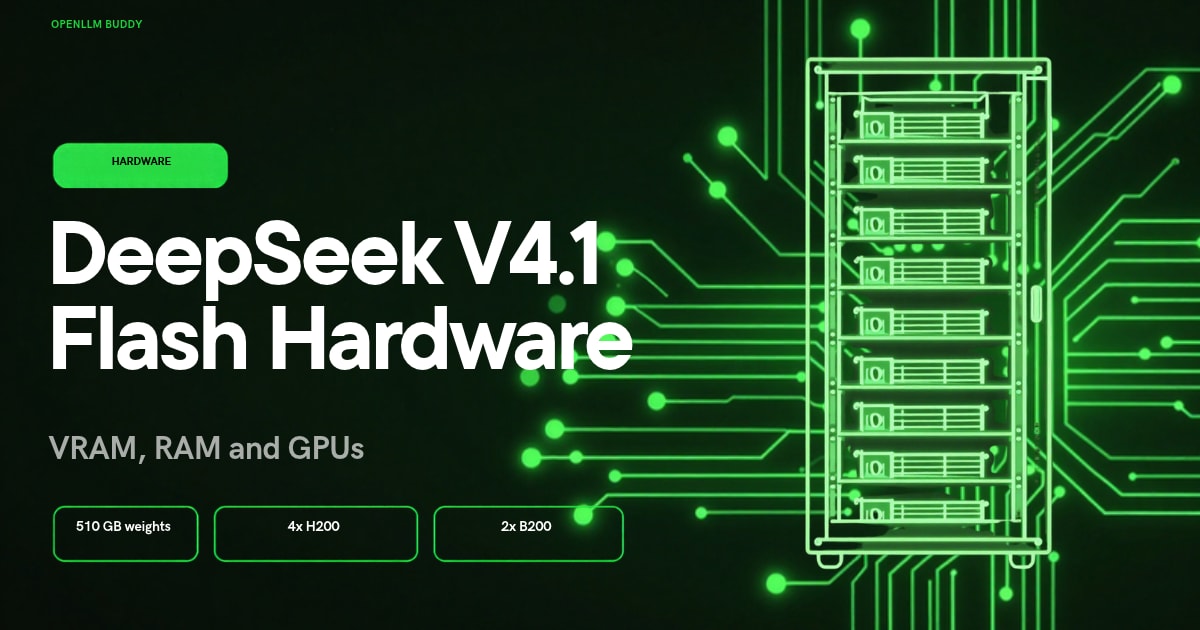
DeepSeek V4.1 Flash has about 510 GB of weights. On OpenLLM Buddy it runs on 4× H200 (564 GB of GPU memory) or 2× B200 (360 GB of GPU memory), with the full 1M-token context. The smaller set works because the model's Engram memory table, about 190–203 GB, is kept in system RAM and not on the GPUs.
So the requirement has two halves: a multi-GPU server for the network itself, and well over 200 GB of system RAM for the table. This page breaks down the memory, shows which GPU sets fit, explains why you should not re-quantize the weights, and compares running it yourself with renting a ready pod.
The figures describe the build our DeepSeek V4.1 Flash Uncensored pods serve: the "1017" update, in its native FP8 format with 4-bit experts.
The memory budget
Most models have one memory number that matters, GPU memory. This one has two, because its weights are split between two kinds of memory.
| Part | Size | Where it lives |
|---|---|---|
| All weight files | About 510 GB | Split between system RAM and the GPUs |
| Engram memory table | About 190–203 GB | System RAM |
| The rest of the weights | About 307–320 GB, by subtraction | GPU memory |
| Context cache, up to 1M tokens | Grows with the tokens you send | GPU memory left after the weights |
| Serving software overhead | Not itemised | Both |
The third row is arithmetic, not a separate measurement: 510 GB minus a table of 190–203 GB leaves about 307–320 GB for the GPUs. The table's size is quoted as a range, so the GPU share is a range too.
The context cache is the part that grows. Each token you send, and each token the model writes, adds an entry so that earlier text does not have to be re-read. A short exchange needs little. A prompt near the 1M-token limit needs a lot, and all of it has to come out of the GPU memory that the weights leave over. How AI caching works explains the mechanism.
How the Engram table changes the arithmetic
DeepSeek describes V4.1 Flash as a 552B-parameter backbone plus a 196B-parameter memory table called Engram. The backbone is a mixture-of-experts network with about 16B parameters active per output token. The table is why some sites quote 748B or 763B parameters for the same model: those totals include it. The DeepSeek V4.1 Flash Uncensored guide sorts out the parameter counts.
For hardware, the table matters for one reason: it does not have to sit on a GPU. Compare the two cases.
| GPU memory needed for weights | 2× B200 (360 GB) | 4× H200 (564 GB) | |
|---|---|---|---|
| If every weight sat on the GPUs | About 510 GB | Does not fit: 150 GB short | Fits with 54 GB to spare |
| With the Engram table in system RAM | About 307–320 GB | Fits with 40–53 GB to spare | Fits with 244–257 GB to spare |
With everything on the GPUs, 2× B200 could not load the model, and 4× H200 would have 54 GB left for a 1M-token context cache. With the table in system RAM, both sets hold the GPU share of the weights and still have room for context. That is the configuration our pods use, and both sets serve the full 1M context.
The cost is on the other side of the machine. The server needs enough system RAM to hold a 190–203 GB table on top of the operating system and the serving software. We do not publish an exact minimum. Plan for well over 200 GB.
If you searched for "DeepSeek V4.1 Flash VRAM", the short version is this. The model needs about 307–320 GB of VRAM for weights plus room for context, and it needs about 190–203 GB of ordinary RAM as well. A machine that meets only one of the two cannot run it.
Which GPU sets work
| GPU set | GPU memory | Left after the GPU share of the weights | Status |
|---|---|---|---|
| Any single GPU | 288 GB at most (B300) | None | Does not fit |
| 4× H100 | 320 GB | About 0–13 GB | Not offered. Almost nothing left for context |
| 2× B200 | 360 GB | About 40–53 GB | Offered. Serves the full 1M context |
| 4× H200 | 564 GB | About 244–257 GB | Offered. Serves the full 1M context |
The first two rows follow from the subtraction above and are not configurations we have run. The last two are the sets we rent for this model.
How the two working sets differ:
- 2× B200 is the tighter fit. It has two cards instead of four, and about 40–53 GB of GPU memory left once the weights are loaded.
- 4× H200 has far more headroom. About 244–257 GB is left after the weights, several times what 2× B200 has.
- Speed is unknown on both. The model's speed is not yet measured on our pods, on either set. Nothing here says which is faster.
- Price and availability move. Both follow GPU rental rates. The dated price is in the pillar guide and the live price is on the Deploy page.
On either set, vLLM splits the GPU share of the model across the cards with tensor parallelism, so several GPUs act as one large one. GLM-5.3-Flash hardware requirements explains that technique in plain words. The practical point is that the cards must be in one server. GPUs spread over separate machines do not add up the same way.
Why you should not re-quantize it
With a model this large, the natural instinct is to look for a smaller quantized version that fits cheaper hardware. For DeepSeek V4.1 Flash that is discouraged, and the reason is in how the weights ship.
Quantization means storing each number in the model with fewer bits. It makes the files smaller, and it rounds every number once. Done by the maker as part of preparing the model, the rounding is accounted for. Done again afterwards, it stacks new rounding error on top of the old.
These weights are natively FP8 with 4-bit experts. Two things follow.
- There is little left to squeeze. In a mixture-of-experts model, the experts hold most of the parameters, and here they are already at 4 bits. The arithmetic shows it: 552B plus 196B parameters at one byte each would come to about 748 GB, and the files are about 510 GB.
- A second pass rounds numbers that were already rounded. Converting 4-bit experts to a different 4-bit format, or pushing the FP8 parts lower, changes values that have no precision to spare.
There is a third reason that applies to the uncensored build. Its author reports that refusal removal already cost 3.9 points on MMLU, 83.77% against 87.63% for the base model. Any loss from re-quantizing would come on top of that, and nobody has published a measurement of it.
So this page gives no "Q4" or "Q5" sizes for this model. The format that exists is the native one, and it needs the hardware above.
Can you run DeepSeek V4.1 Flash locally?
Not on a desktop or a workstation. The GPU share of the weights alone, about 307–320 GB, equals the memory of roughly ten RTX 5090 cards, and the machine also needs more than 200 GB of system RAM. "Locally" here means on a server you control.
The base model is MIT licensed, so you are allowed to do that. What it takes:
What you take on with your own server
- The machine. 2× B200 or 4× H200 in a single server, with well over 200 GB of system RAM. Both halves are required.
- The download. About 510 GB of weight files, plus the disk to hold them. Each cold start loads all of it again, part into RAM and part into GPU memory.
- The serving stack. NVIDIA drivers and a release of vLLM that supports this architecture.
- Placement. The Engram table has to be kept in system RAM while the rest is split across the GPUs. If that is set up wrong, the model does not fit on 2× B200.
- Features. A 1M-token context length, tool-call parsing, reasoning output and image input each need to be switched on and tested.
- The uncensored weights. The public release is the base model. Refusal removal is a separate step on top.
- Idle cost. Hardware of this size costs money whether it is answering requests or not.
What a ready pod covers
- The configuration. The template already runs the native FP8 build on vLLM with tool calls, reasoning and vision on, and the Engram table in system RAM.
- The API. An OpenAI-compatible base URL and an API key appear in your console.
- Isolation. The pod is dedicated. Nobody else shares it, and prompts and outputs stay on it.
- A fixed end. You buy a time pack of 11 hours, 24 hours, 1 week or 1 month. The pod stops when the time ends, and there is no per-token billing.
Your own server is the right call if you already run GPU machines of this class, or the model has to live inside your own network. A ready pod is the right call if you want to find out what the model can do before committing to hardware. An 11-hour pack is also the only way, today, to get a speed figure for your own workload, since none is measured on our pods yet.
Deploy DeepSeek V4.1 Flash Uncensored
Where to go next
- For what the model is good at, what refusal removal changed and API samples, read the DeepSeek V4.1 Flash Uncensored guide.
- For the other 1M-context model at the same from-price, see GLM-5.3-Flash vs DeepSeek V4.1 Flash.
- For a model that also runs on 2× B200 with official weights, see MiniMax-M3.1-Flash VRAM and GPU requirements and DeepSeek V4.1 Flash vs MiniMax-M3.1-Flash.
- For a far larger model, see Kimi K3.1 Pro hardware requirements.
FAQ
How much VRAM does DeepSeek V4.1 Flash need?
About 307–320 GB of GPU memory for the weights that sit on the GPUs, plus room for the context cache. On OpenLLM Buddy it runs on 2× B200 with 360 GB or 4× H200 with 564 GB.
How much system RAM does DeepSeek V4.1 Flash need?
More than 200 GB. The Engram memory table is about 190–203 GB and is kept in system RAM, and the operating system and serving software need memory on top of that.
Can I run DeepSeek V4.1 Flash locally?
Only on a multi-GPU server with a lot of system RAM. The weights are about 510 GB in total, so consumer GPUs and ordinary workstations are far too small.
Can DeepSeek V4.1 Flash run on 2 B200 GPUs?
Yes. Two B200 cards have 360 GB of GPU memory, which holds the GPU share of the weights because the Engram table of about 190–203 GB is kept in system RAM. Our 2× B200 pods serve the full 1M-token context.
Should I quantize DeepSeek V4.1 Flash to fit a smaller GPU?
It is discouraged. The weights are natively FP8 with 4-bit experts, so they are already compressed, and quantizing them again adds rounding error to numbers that were already rounded.
How big is the DeepSeek V4.1 Flash download?
The weight files are about 510 GB. Of that, the Engram memory table accounts for about 190–203 GB.