Kimi K3.1 Pro Hardware Requirements: VRAM, GPUs and Local Use
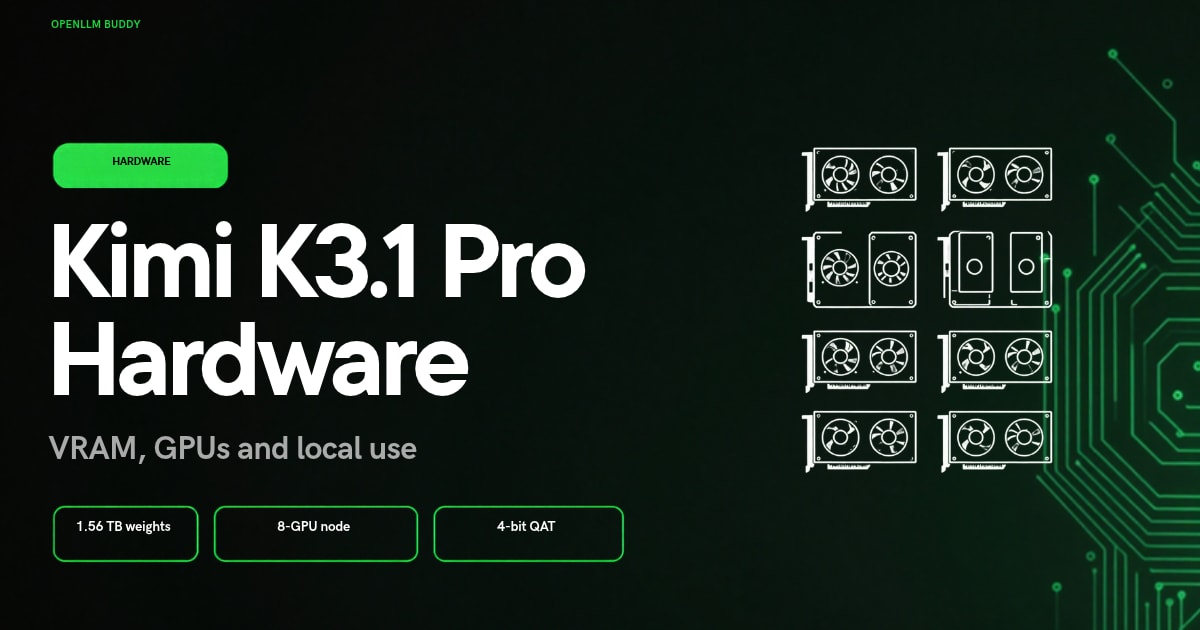
Kimi K3.1 Pro needs about 1.56 TB of GPU memory for its weights alone, before any context. The published serving recipe runs it on one group of 8 GPUs with tensor parallel 8, for example one 8× B300 node with 2,304 GB of GPU memory. No desktop, workstation or single GPU can run it locally.
The rest of this page explains where those numbers come from, why other pages give different ones, why there is no smaller official file, and what your realistic options are.
The requirements in one table
| Question | Answer | Whose figure |
|---|---|---|
| How big are the weights? | About 1.56 TB on disk, 4-bit | The maker, Moonshot AI |
| What is the reference setup? | One group of 8 GPUs, tensor parallel 8 | The published serving recipe |
| What is an example node? | 8× B300: 288 GB each, 2,304 GB in total | The published serving recipe |
| Does it fit one GPU? | No. One B300 holds less than a fifth of the weights | Arithmetic |
| Is there a smaller official file? | No. The 4-bit weights are the release | The maker |
| How large is the context window? | 1M tokens | The maker |
| What does an OpenLLM Buddy pod use? | A dedicated multi-GPU pod; see the live catalog for the configuration | OpenLLM Buddy |
Where the 1.56 TB comes from
Kimi K3.1 Pro is a mixture-of-experts model with 2.8 trillion parameters in total. It has 93 layers and 896 experts, and for each token it selects 16 of them, so about 104 billion parameters do the work at any moment.
It is tempting to read "104B active" as the memory requirement. It is not. The model chooses a different set of experts for every token, so all 896 have to be loaded and ready. Memory follows the total, 2.8 trillion. Computation per token follows the active count, 104 billion.
The size on disk follows from the total and the precision:
| Precision | Size of 2.8 trillion parameters |
|---|---|
| 16 bits per parameter | about 5.6 TB |
| 8 bits per parameter | about 2.8 TB |
| 4 bits per parameter | about 1.4 TB |
| The published 4-bit file | about 1.56 TB |
The published file is a little above the bare 4-bit figure, which is normal: files of this kind usually keep some parts at higher precision. The first two rows are arithmetic to show the scale, not files you can download.
The memory budget on the reference node
Loaded weights take roughly their on-disk size in GPU memory. On the recipe's example node, the budget looks like this:
| Part | Memory |
|---|---|
| 4-bit weights | about 1,560 GB |
| Left for the context cache, image input and runtime overhead | about 744 GB |
| Total on 8× B300 | 2,304 GB |
With tensor parallel 8, the weights are split across the group. That puts about 195 GB of weights on each 288 GB card, with about 93 GB per card left over.
That remainder is not spare. The context cache (the KV cache) grows with every token in the conversation, and Kimi's window goes up to 1M tokens. This guide has no published figure for the cache size at the full window, so it does not give one. The practical reading is simple: a node that only just holds the weights cannot serve the model, because there is nowhere to put the conversation.
Why smaller setups fail
The recipe asks for a group of 8. Here is what 8 of each common data-centre GPU adds up to, against 1,560 GB of weights:
| Group of 8 | Total GPU memory | Against the weights |
|---|---|---|
| 8× H100 (80 GB) | 640 GB | Holds well under half |
| 8× H200 (141 GB) | 1,128 GB | 432 GB short |
| 8× B200 (180 GB) | 1,440 GB | 120 GB short |
| 8× B300 (288 GB) | 2,304 GB | Fits, with about 744 GB left |
This table is arithmetic on published memory sizes, not a set of test results. It shows why the recipe's example is a B300 node: at 8 GPUs, each card has to carry about 195 GB of weights, and the B300 is the only card in the table with more than that.
Consumer cards are further away still:
| Card | Memory | Cards needed to hold the weights alone |
|---|---|---|
| RTX 4090 | 24 GB | 65 |
| RTX 5090 | 32 GB | 49 |
| RTX PRO 6000 | 96 GB | 17 |
Those counts cover the weights and nothing else, and the recipe describes no such layout. They are here to answer the question plainly: "run Kimi K3.1 Pro locally" does not mean a gaming PC or a workstation.
What about system RAM or disk? Smaller models are sometimes run with part of the weights in ordinary RAM. In general that trades a great deal of speed for the saved GPU memory, and it gets worse with a mixture-of-experts model that jumps between experts on every token. The serving recipe describes a GPU group, not an offloaded setup, and this guide has no numbers for one.
Why other pages give different numbers
Search for this model's requirements and you will find figures that do not match the recipe. Third-party pages disagree, and some say it needs sixteen 141 GB GPUs.
The sixteen-GPU figure is easy to trace as arithmetic. Sixteen 141 GB cards total 2,256 GB, almost the same as the 2,304 GB of an 8× B300 node. So a page can arrive at "sixteen" by matching total memory. That is a sum, not evidence that the layout was run.
Three things make the totals-only approach unreliable:
- Grouping matters, not just the total. Tensor parallelism splits every layer across all the GPUs in a group, and the cards exchange data for every token. The recipe specifies one group of 8 with tensor parallel 8. A different card count is a different configuration, not the same one with different parts.
- The model is new. The weights were released on 4 November 2026. Many spec pages are written from the parameter count within days of a release, before anyone has served the model.
- Total and active get mixed up. A page that sizes the hardware from 104B instead of 2.8T will be wrong by a wide margin.
Which source to trust, in order:
| Source | Trust it for |
|---|---|
| The published serving recipe | The GPU group, the tensor parallel setting and the serving flags |
| The maker's published specifications | Parameter counts, the 4-bit format, the 1.56 TB size, the context window |
| The live catalog of the provider you rent from | What a pod you can order today actually runs on |
| Other pages | Nothing you cannot confirm against the three above |
The recipe is the authority because it is the configuration written for the software that serves the model. This page does not claim a sixteen-GPU layout cannot work. It says the recipe does not describe one, and the recipe is what you should build from.
Why there is no smaller file to fall back on
With most open models, the release is a full-precision file, and smaller versions follow: 8-bit, then 4-bit, each trading a little quality for a lot less memory. If your hardware is short, you drop down a size.
Kimi K3.1 Pro does not work that way. Its published weights are already 4-bit, and they are quantization-aware trained. That means the model was trained to run at 4 bits, so the 4-bit file is the intended model, not a compressed copy of something larger.
Two consequences follow:
- The 1.56 TB file is the floor. There is no smaller official file. The step most people take when a model does not fit, moving from a larger file to the 4-bit one, has already been taken by the maker.
- Going lower means leaving the official weights. Anything below 4 bits would be a third party's re-compression that the maker did not train for. This guide has no data on any such file, and as a general rule quality falls quickly below 4 bits.
Even setting quality aside, the arithmetic does not rescue a desktop. A hypothetical file half the size would still be about 780 GB.
What running it yourself involves
If you have access to a suitable node, this is the work:
- Get the node. One machine with 8 GPUs of the B300 class in a single group. That is a top-end data-centre server, bought or rented by the hour.
- Download about 1.56 TB. On a steady 1 gigabit per second line that is around three and a half hours. On 100 megabits per second it is about a day and a half. You need at least that much fast storage on the node.
- Install the stack. GPU drivers, then vLLM, the serving software the recipe is written for. A model released this recently needs current software.
- Start the server with tensor parallel 8. This is the setting that spreads each layer across the 8 GPUs.
- Wait for the load. Every start reads the full 1.56 TB from disk into GPU memory. Plan for that on every restart.
- Put an API in front of it. A key, TLS and logging, so your tools can reach it safely.
- Keep it running. In a tensor-parallel group every GPU holds part of every layer, so one failed card stops the model. Somebody has to watch it.
The core of the command in step 4 looks like this:
vllm serve YOUR_MODEL_PATH \
  --tensor-parallel-size 8
Take the remaining flags from the recipe itself, not from this sketch.
None of these steps is exotic for a team that already operates multi-GPU servers. For everyone else, the first step alone ends the project.
Renting a dedicated pod instead
For almost everyone, the realistic way to self-host Kimi K3.1 Pro is to rent a pod that already has the hardware and the model loaded.
On OpenLLM Buddy, Kimi K3.1 Pro is in the catalog on dedicated multi-GPU pods. What you get:
- A dedicated pod. It runs one model for you. Nobody else shares it.
- An OpenAI-compatible API. A base URL ending in
/v1and an API key, shown in your console. Chat completions, streaming and tool calls work with existing OpenAI clients. - Time packs. 11 hours, 24 hours, 1 week or 1 month. The pod stops when the pack's time ends, and there is no per-token billing.
- Privacy. Prompts and outputs stay on your pod, and no provider filter sits in front of the model.
This page gives no GPU count, speed or price for that pod. Those follow GPU rental rates and change, so the live catalog is the place to read them.
Once the pod is up, a first request looks like this:
curl https://YOUR-POD-ENDPOINT/v1/chat/completions \
  -H "Authorization: Bearer YOUR_API_KEY" \
  -H "Content-Type: application/json" \
  -d '{
    "model": "YOUR_MODEL_ID",
    "messages": [{"role": "user", "content": "Reply with one sentence to confirm you are running."}]
  }'
Copy the model id from your console. The Kimi K3.1 Pro guide covers the benchmarks, the licence conditions and fuller request samples.
If Kimi is more than you need
Kimi K3.1 Pro is the largest model in the catalog by a wide margin. If the hardware above is out of proportion to your task, these are the smaller options, with the weights and GPUs OpenLLM Buddy runs them on:
| Model | Weights | GPUs on OpenLLM Buddy | Hardware guide |
|---|---|---|---|
| DeepSeek V4.1 Flash Uncensored | about 510 GB | 4× H200 or 2× B200 | Requirements |
| GLM-5.3-Flash Uncensored | about 328 GB | 4× H200 or 2× B300 | Requirements |
| MiniMax-M3.1-Flash | about 252 GB | 2× B200 or 8× H100 | Requirements |
| Nemotron 3.5 Super Uncensored | about 249 GB at full precision; standard pods load it as FP8 | 2× RTX PRO 6000, 1× B200 or 2× H200 | Requirements |
| Qwen3.8-27B Uncensored | 18.5 GB | One RTX 5090, one RTX PRO 6000 or one H100 | Requirements |
| Gemma4-26B-A4B Uncensored | 16.8 GB | One RTX 5090 or one RTX PRO 6000 | Requirements |
DeepSeek V4.1 Flash is the closest in purpose. Its maker reports a DeepSWE v1.1 score slightly above Kimi's (77.0 against 75.5), while Kimi leads clearly on Terminal-Bench 4.0 (65.7 against 42.3). Kimi K3.1 Pro vs DeepSeek V4.1 Flash works through that choice, and the best uncensored open AI models you can deploy compares the whole catalog.
FAQ
How much VRAM does Kimi K3.1 Pro need?
The weights alone take about 1.56 TB of GPU memory, and the context cache needs room on top. The published serving recipe uses one group of 8 GPUs, for example an 8× B300 node with 2,304 GB in total.
Can I run Kimi K3.1 Pro locally?
Not on a desktop or workstation. Holding the weights alone would take 49 RTX 5090 cards, and the published recipe describes a single 8-GPU data-centre node instead. Locally only makes sense if you already operate that class of server.
How many GPUs does Kimi K3.1 Pro need?
The serving recipe specifies one group of 8 GPUs with tensor parallel 8, with one 8× B300 node as the example. Some third-party pages say sixteen 141 GB GPUs, but the recipe is the authority.
Is there a smaller quantized version of Kimi K3.1 Pro?
There is no smaller official file. The published weights are already 4-bit and quantization-aware trained, so the 1.56 TB file is the intended model and the smallest one the maker provides.
Can Kimi K3.1 Pro run on an RTX 5090 or RTX 4090?
No. An RTX 5090 has 32 GB and an RTX 4090 has 24 GB, against about 1,560 GB of weights. Models that do fit one RTX 5090 include Qwen3.8-27B Uncensored and Gemma4-26B-A4B Uncensored.
Why does a model with 104B active parameters need so much memory?
Because the active parameters change with every token. Kimi K3.1 Pro selects 16 of its 896 experts per token, so all 2.8 trillion parameters must be loaded even though only 104 billion run at once.